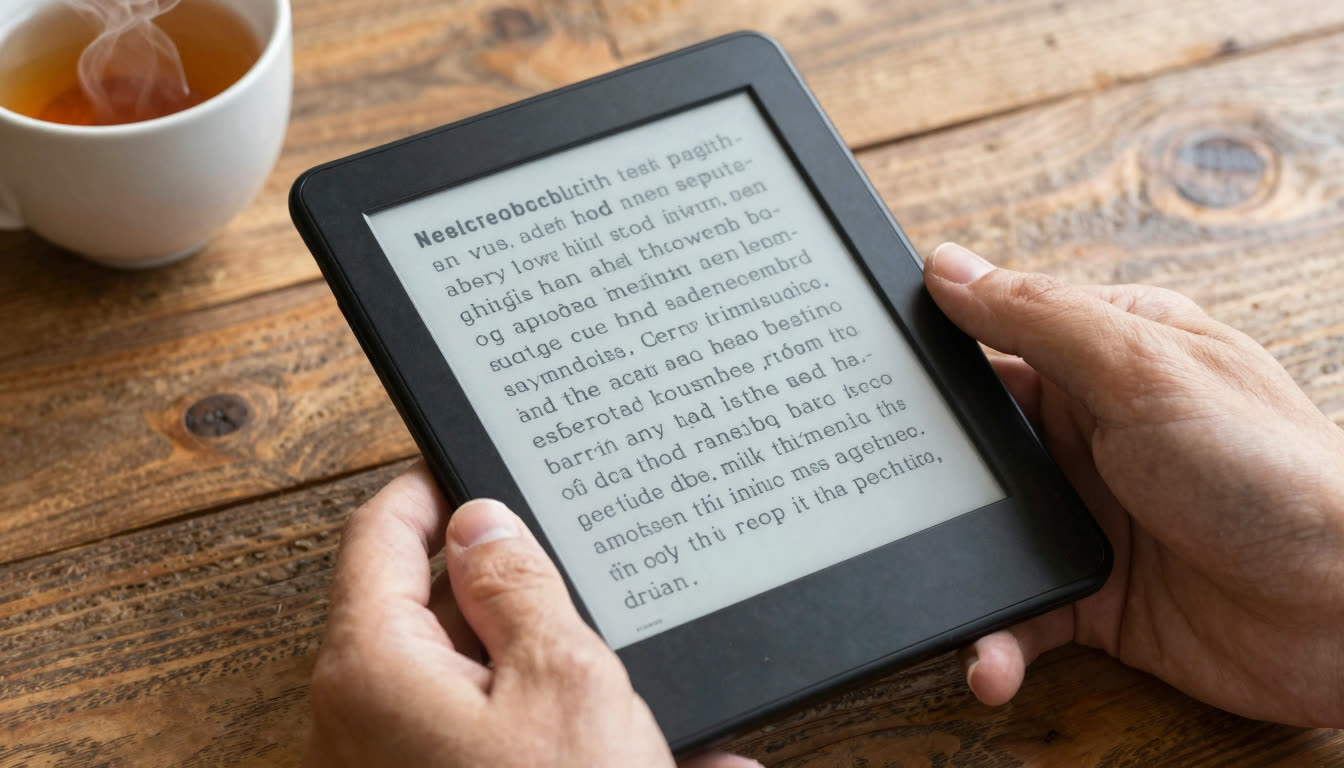
How to Train Your Eyes for Speed Reading in 30 Days: A Step-by-Step Tutorial Using Fixation Points (Works Without Screens)

Marcus Reed
Productivity Editor
You have got a mountain of reading ahead: textbooks, research papers, reports, or that stack of books collecting dust on your nightstand. You want to read faster, but every speed reading app seems to force you into a screen-based workflow. What if you could train your eyes to move faster through any text, whether it is on your phone, in a physical book, or printed on paper?
Good news: you can. In 30 days, using a technique called fixation point training, you can increase your reading speed by 30-50% without being glued to a screen. This tutorial shows you exactly how to do it, step by step.
What's in this article
- The problem: your eyes are holding you back
- What you'll need
- What are fixation points and why do they matter?
- Week 1: build your baseline and learn bionic reading
- Week 2: expand your peripheral vision
- Week 3: eliminate subvocalization
- Week 4: train for real-world reading
- Pro tips for long-term success
- Troubleshooting common problems
- Why this works (and why screens aren't the enemy)
The Problem: Your Eyes Are Holding You Back
Most people read at around 200-250 words per minute, which is roughly the pace of speaking aloud. That ceiling is not about intelligence or focus. It is about eye mechanics. Your eyes have never been taught to move through text efficiently, so they fall back on the same slow habits they picked up in primary school.
The good news is that reading speed is trainable. The science of speed reading has identified specific eye movement patterns that distinguish fast readers from slow ones, and those patterns can be deliberately practiced.
What You'll Need
- 15 minutes per day for focused practice
- A variety of reading materials: mix digital (ebooks, PDFs, articles) and physical (books, printed papers)
- A speed reading app that uses bionic reading (we recommend FastRead's Bionic Reader, free on iOS, Android, and web)
- A notebook to track your progress
- Optional: a pen or your finger to use as a pacer for physical books
Pro tip: before you start, take the FastRead Speed Test to measure your baseline reading speed in words per minute (WPM). Most adults read around 200-250 WPM. You will retest every 10 days to track improvement.
What Are Fixation Points and Why Do They Matter?
Your eyes do not glide smoothly across text. They jump from point to point in quick movements called saccades. Each time your eyes land, that is a fixation point. Average readers make 4-5 fixations per line and often regress (jump backward) to re-read words.
According to eye tracking research, efficient readers make far fewer fixations per line and almost never regress. Fixation point training teaches your eyes to:
- Land on fewer points per line (2-3 instead of 4-5)
- Stop regressing backward
- Recognize word shapes faster using visual anchors
Bionic reading, which bolds the first half of each word, creates artificial fixation points that guide your eyes forward. Your brain automatically completes the rest of each word, reducing the cognitive load of decoding every letter.

Step 1: Week 1 - Build Your Baseline and Learn Bionic Reading (Days 1-7)
Day 1: Measure Your Starting Speed
Head to FastRead's Speed Test and read a passage at your normal pace. Record your WPM and comprehension score in your notebook. Do not try to read faster yet. Just establish your baseline.
Days 2-7: Train With Bionic Text Daily
For 15 minutes each day, read articles or book chapters in bionic format. Here is how:
- Digital reading: open any text in FastRead's Bionic Reader or upload a PDF or ebook to the FastRead app (available free on App Store and Google Play). The app automatically converts text to bionic format.
- Physical books: use a pen or your finger to underline the first 3-4 letters of each word as you read. Yes, it is slower at first. That is the point. You are training your eyes to focus on word beginnings.
What you will notice: by Day 4-5, bionic text will feel natural. Your eyes start "seeing" the bolded fixation points first, and the rest of the word fills in automatically. This is your brain building new reading pathways.
Pro tip: use FastRead's Practice Texts for calibrated reading exercises at different difficulty levels. Start with easier texts to build confidence.
Step 2: Week 2 - Expand Your Peripheral Vision (Days 8-14)
Most people read word-by-word. Fast readers read in chunks, capturing 2-3 words per fixation. This week, you will train your peripheral vision.
Days 8-10: The Column Drill
Find a news article or book chapter. Instead of reading left-to-right across each line, try to read down the center of the text column, letting your peripheral vision catch the words on either side.
- Open the text in FastRead's Focus Reader for distraction-free practice
- Draw an imaginary vertical line down the middle of each paragraph
- Fix your eyes on that center line and try to absorb words to the left and right
- Start with narrow columns (like news articles) before tackling full-width book pages
What you will notice: this feels impossible at first. By Day 10, you will catch 50-60% of the content using peripheral vision alone. That is enough to get the gist and decide whether to slow down for details.
Days 11-14: Bionic Reading Plus Peripheral Vision Combined
Now combine both techniques:
- Read bionic text in FastRead's app
- Focus on the bolded fixation points (word beginnings)
- Use peripheral vision to capture surrounding words
Pro tip: FastRead works beautifully for this because the bolded letters create strong visual anchors in your peripheral vision. Your eyes naturally jump from bold point to bold point, pulling in the surrounding text.
Step 3: Week 3 - Eliminate Subvocalization (Days 15-21)
Subvocalization, silently "pronouncing" each word in your head, is the biggest speed limiter. You can only subvocalize at about 250 WPM (talking speed), but your eyes can process visual information at 500+ WPM.
Days 15-17: The Hum Technique
While reading bionic text, hum a simple tune or count "1-2-3-4" repeatedly out loud. This occupies your subvocalization mechanism, forcing your brain to process text visually instead of auditorily.
- Open a PDF or ebook in FastRead
- Start humming or counting
- Keep reading the bionic text
- Your comprehension will drop initially. That is normal.
What you will notice: by Day 17, your comprehension while humming improves. You are training your brain to understand text without "hearing" it.
Days 18-21: Silent Speed Bursts
Set a timer for 2-minute intervals. Read bionic text as fast as possible without subvocalizing. Just let your eyes drink in the bolded fixation points. After each 2-minute burst, summarize what you read in one sentence.
Pro tip: this is where bionic reading becomes a genuine speed reading superpower. The bolded letters create such strong visual patterns that your brain can recognize whole sentences without decoding individual words.
Step 4: Week 4 - Train for Real-World Reading (Days 22-30)
Days 22-25: Mix Digital and Physical Reading
Now apply your skills to real reading tasks:
- Morning: read news or articles in the FastRead app using bionic format
- Afternoon: read a physical book, mentally "bolding" the first half of each word as you go
- Evening: read work documents or study materials using FastRead's PDF reader
What you will notice: you naturally speed up on digital bionic text (where the fixation points are visible) and maintain 70-80% of that speed on physical books (where you are mentally creating fixation points).
Days 26-28: Challenge Yourself With Dense Material
Read something difficult: academic papers, technical documentation, dense non-fiction. Use FastRead to convert PDFs to bionic format and apply all four techniques:
- Focus on fixation points (bolded letters)
- Use peripheral vision to capture word chunks
- Minimize subvocalization
- Allow yourself to slow down for complex ideas, then speed up on easier passages
Pro tip: use FastRead's Text Summarizer to check your comprehension. Read a dense chapter in bionic format, then summarize it. Compare your summary to the AI-generated one to see what you missed.
Days 29-30: Final Speed Test and Celebration
Retake the FastRead Speed Test. Most people improve by 30-50% after 30 days of fixation point training. Record your new WPM and comprehension score.
Typical results:
- Day 1: 200-250 WPM, 70% comprehension
- Day 30: 300-375 WPM, 75-80% comprehension
Yes, you can read 50% faster and understand more. Bionic reading reduces cognitive load, freeing up mental bandwidth for comprehension instead of decoding.
The 30-Day Training Plan at a Glance
| Week | Days | Focus | Daily practice |
|---|---|---|---|
| Week 1 | 1-7 | Baseline + bionic reading | 15 min bionic text reading |
| Week 2 | 8-14 | Peripheral vision expansion | Column drills + bionic combo |
| Week 3 | 15-21 | Subvocalization reduction | Hum technique + speed bursts |
| Week 4 | 22-30 | Real-world application | Mixed digital and physical reading |
Pro Tips for Long-Term Success
1. Use bionic reading for your daily reading diet: install the FastRead app on your phone and read articles, newsletters, and ebooks in bionic format. The more you practice, the faster your baseline becomes.
2. Track your progress: use FastRead's Reading Tracker to log books finished, time spent reading, and WPM improvements over time.
3. Mix speeds: you do not need to speed-read everything. Skim emails and reports fast, then slow down for poetry or complex ideas. Bionic reading makes it easy to shift gears.
4. Teach your brain new words: use FastRead's Vocabulary Builder to learn unfamiliar words you encounter. Expanding your vocabulary directly increases reading speed because you do not slow down on words you already know.
5. Adapt for ADHD or dyslexia: many users with ADHD or dyslexia report that bionic reading helps them focus and track lines more easily. The bolded fixation points reduce overwhelm and provide clear visual anchors. FastRead is one of the best ADHD reading apps because it works with how your brain naturally processes visual information.
Troubleshooting Common Problems
"I feel like I am missing details when I read faster." That is normal in Week 1-2. Your comprehension will catch up by Week 3. Bionic reading actually improves comprehension for most people because you are processing text more efficiently.
"I cannot stop subvocalizing." It takes time. Keep using the hum technique and speed bursts. Even reducing subvocalization by 50% will unlock major speed gains.
"Bionic reading looks weird to me." Give it 3-4 days. Your brain adapts quickly. By Day 5, regular text will feel slower because it lacks visual fixation points.
"I do not have time to practice 15 minutes a day." You are already reading emails, articles, or documents daily. Just do that reading in bionic format using FastRead. You are practicing speed reading while doing work you would do anyway.
"Does this work for physical books?" Yes, but it is easier to start with digital bionic text. After 2-3 weeks, your brain will automatically "bold" the first half of words when reading physical books.
Why This Works (and Why Screens Aren't the Enemy)
There has been a lot of noise recently about cutting back classroom screens and reducing digital reading time. CNN published an opinion piece in early June 2026 arguing schools should minimize laptops and tablets, and the American Academy of Pediatrics issued new guidance in January 2026 recommending intentional screen-free blocks for kids.
Here is the nuance those headlines miss: the quality of screen time matters more than the quantity. Passive scrolling and algorithm-driven feeds are bad for focus. But active reading with purpose-built tools like bionic reading is a completely different approach. You are training your brain to process information faster and more efficiently, and that is a skill that transfers to physical books, printed papers, and any reading context.
The fixation point training in this tutorial works everywhere. You start with digital bionic text because it is easier to see the pattern, then you apply those same eye movement skills to physical reading. Think of FastRead as training wheels. Eventually, you will ride without them.
Ready to Start Your 30-Day Speed Reading Journey?
You now have a complete roadmap to train your eyes for speed reading using fixation points. The best part? You can start today, for free.
Here's your first action step:
- Download FastRead on iOS or Android, or visit fastread.app on your computer
- Take the Speed Test to measure your baseline
- Read for 15 minutes in bionic format using the Bionic Reader or Focus Reader
- Come back tomorrow and do it again
In 30 days, you will read 30-50% faster, finish books you have been putting off, and finally get through that reading list. FastRead is completely free, works on all your devices, and includes 11 professional reading tools, everything you need to become a speed reader.
One more thing: if you are a student, researcher, or professional drowning in PDFs and documents, FastRead's PDF reader is a game-changer. Upload any PDF, convert it to bionic format instantly, and watch your reading speed increase. It is the best free ebook reader and PDF reader for anyone serious about reading faster.
Start your 30-day challenge today. Your future self, the one who actually finishes books, will thank you.
About the author
Marcus Reed
Productivity Editor
Marcus Reed writes about reading as a productivity system - how busy professionals read more in less time without losing comprehension. He focuses on practical habits, workflows and the tools that make them stick.
More from Marcus Reed →Read faster everywhere with the app
Bionic-read any article, PDF or ebook on the go, save your library, and track your speed. Free to download.


 Scan to get the app - opens the App Store on iPhone/iPad, Google Play on Android